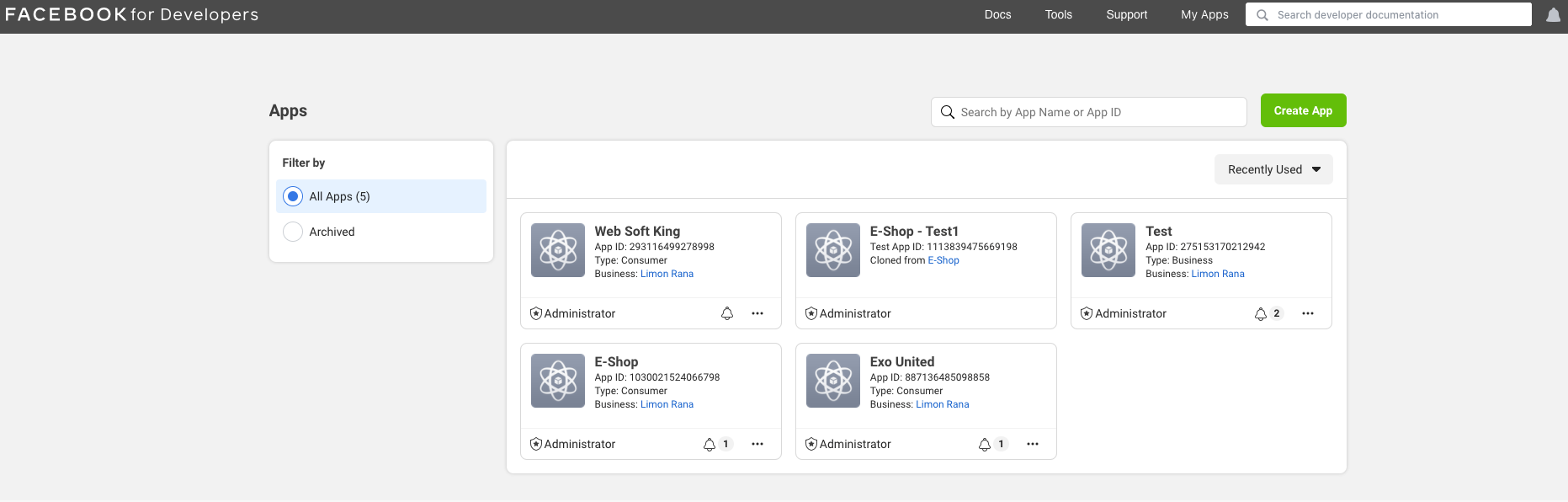
Log in to your Facebook account and go to the Manage Apps page.
Facebook Login Setup Guide
Learn how to enable Facebook Login in the Dream Social Login app.
📋
Before You Begin
You need a Facebook Developers account. If you don't have one yet, sign up at Facebook for Developers first.
Overview
Facebook Login allows customers worldwide to sign in quickly with their Facebook account. All required information (App ID, App Secret) is issued at Facebook for Developers and entered into the app.
Enter Facebook Credentials
In the Dream Social Login app, go to Settings → API Keys → Facebook and enter the following:
- App ID — Facebook App ID
- App Secret — Facebook App Secret
- Valid OAuth Redirect URIs —
https://shopidreamapps.com/facebook/auth
The Redirect URI must exactly match
https://shopidreamapps.com/facebook/auth.Facebook for Developers Setup Steps
1
2
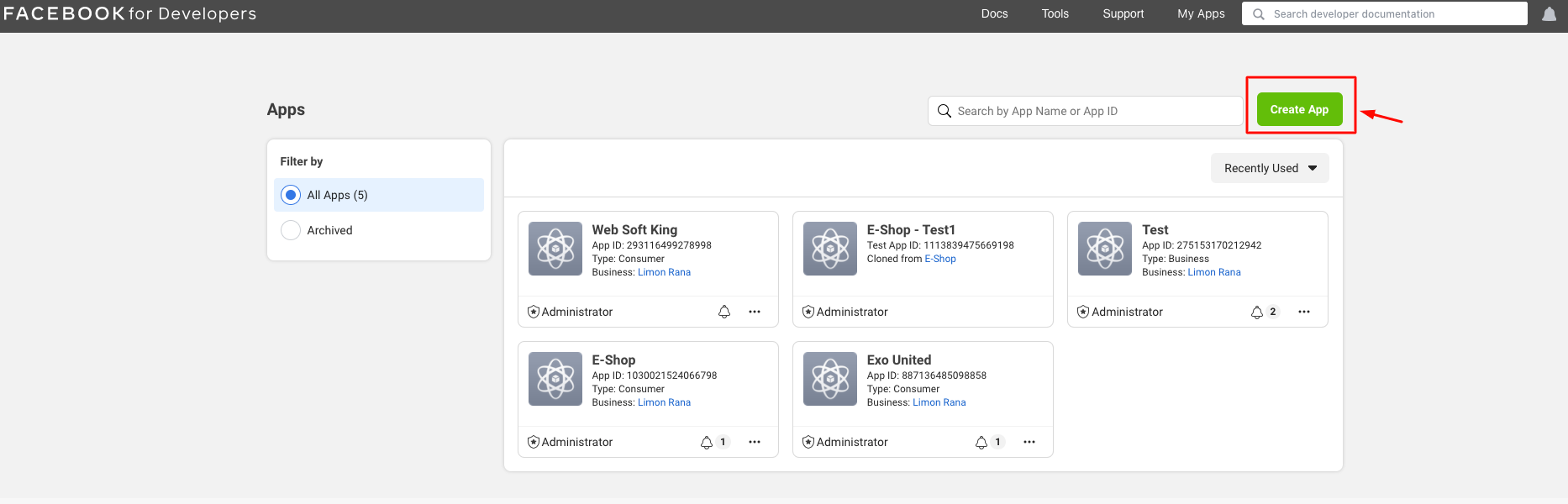
Click Add a New App.
3
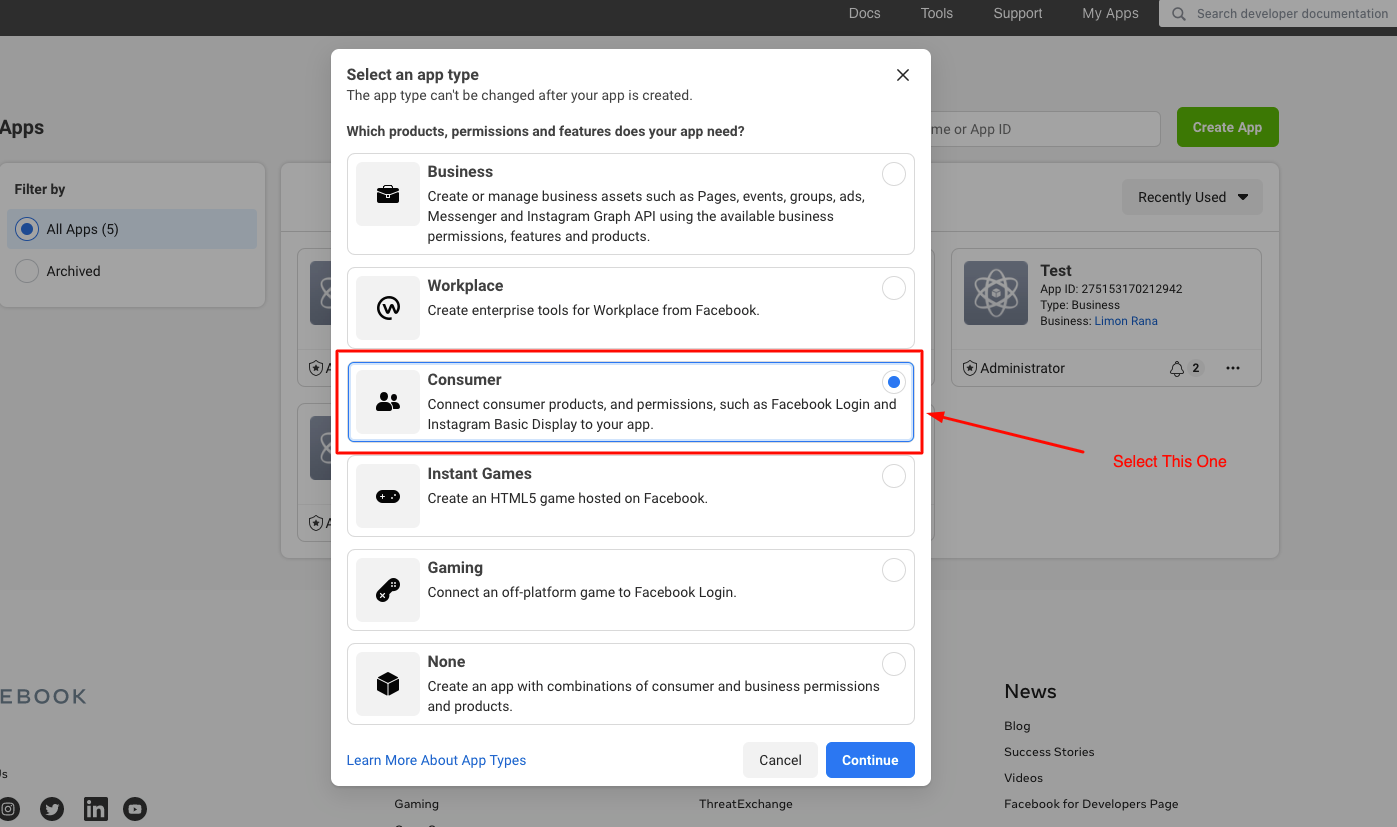
View the app type selector in the popup.
4
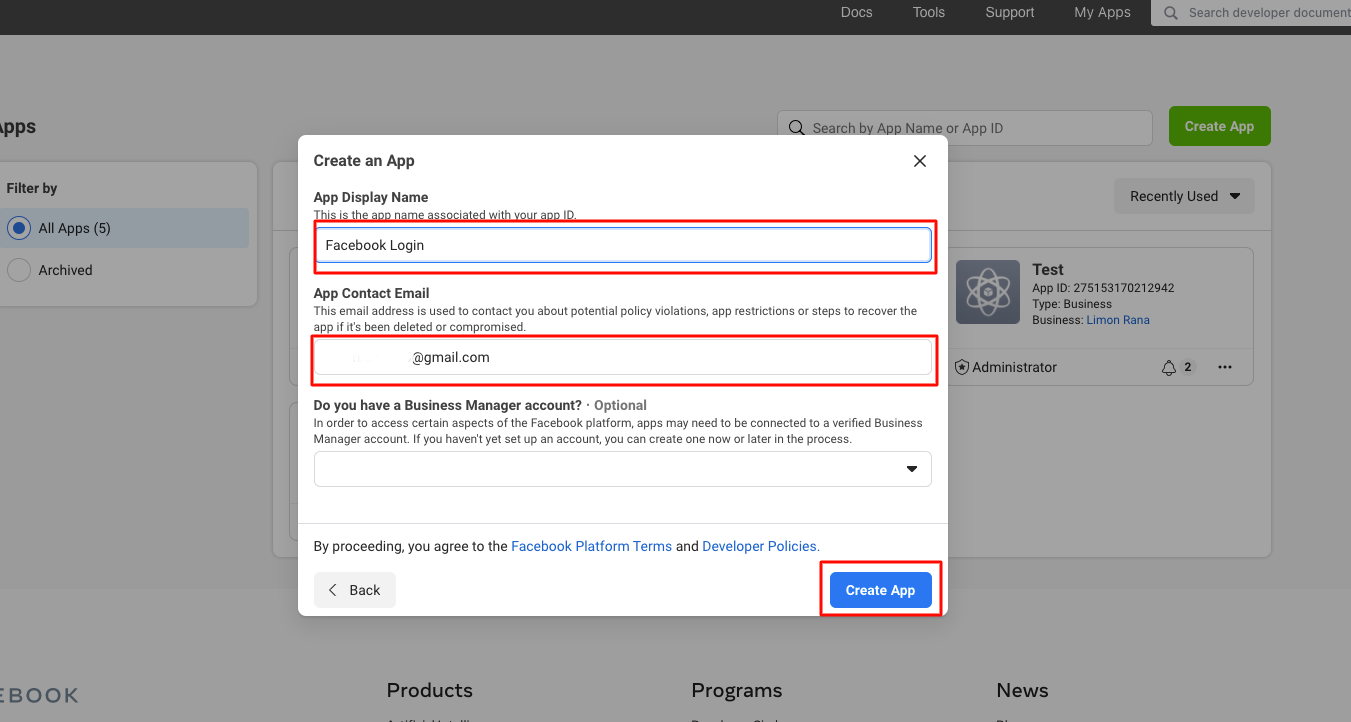
Fill out the app creation form.
- App Display Name: Enter your app name
- Contact Email: Enter your email address
- Business Manager Account: Optional — then click Create App
5
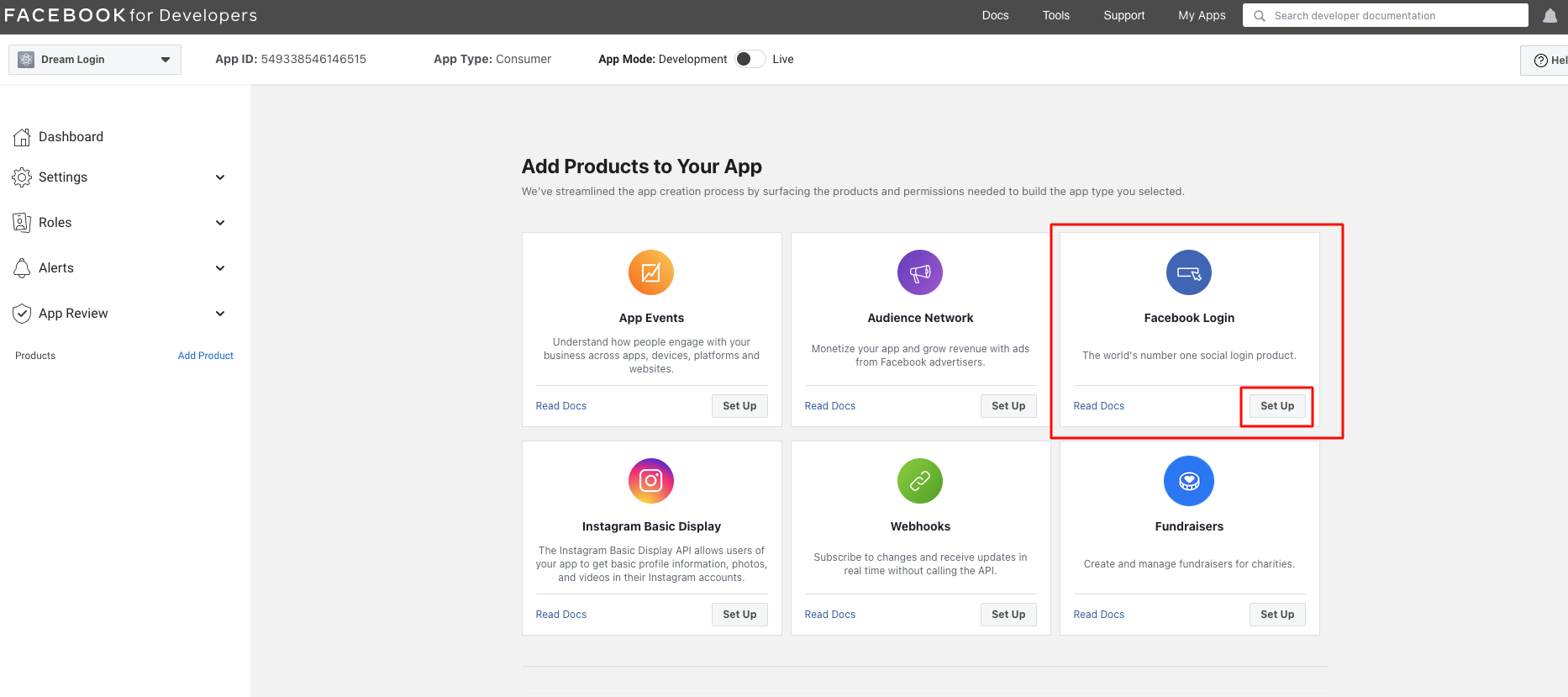
Select Facebook Login from the available options.
6
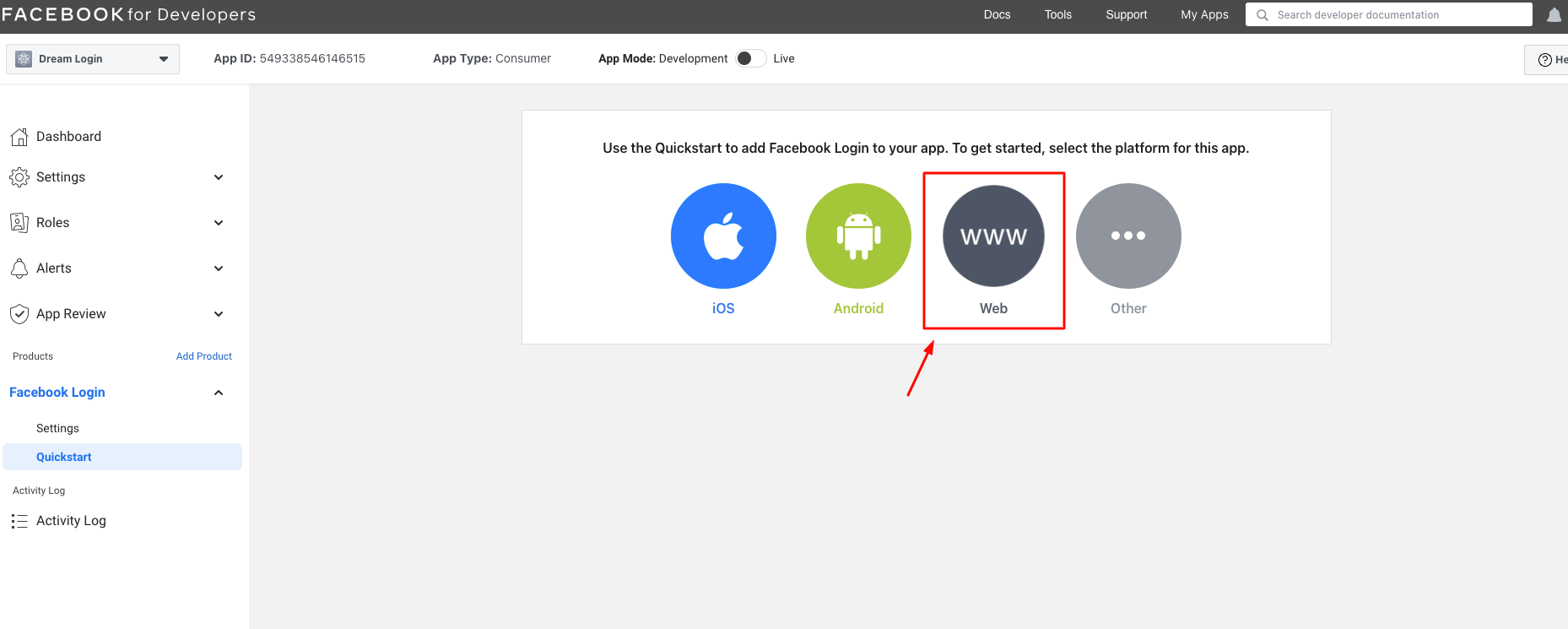
Proceed with the Web item.
7
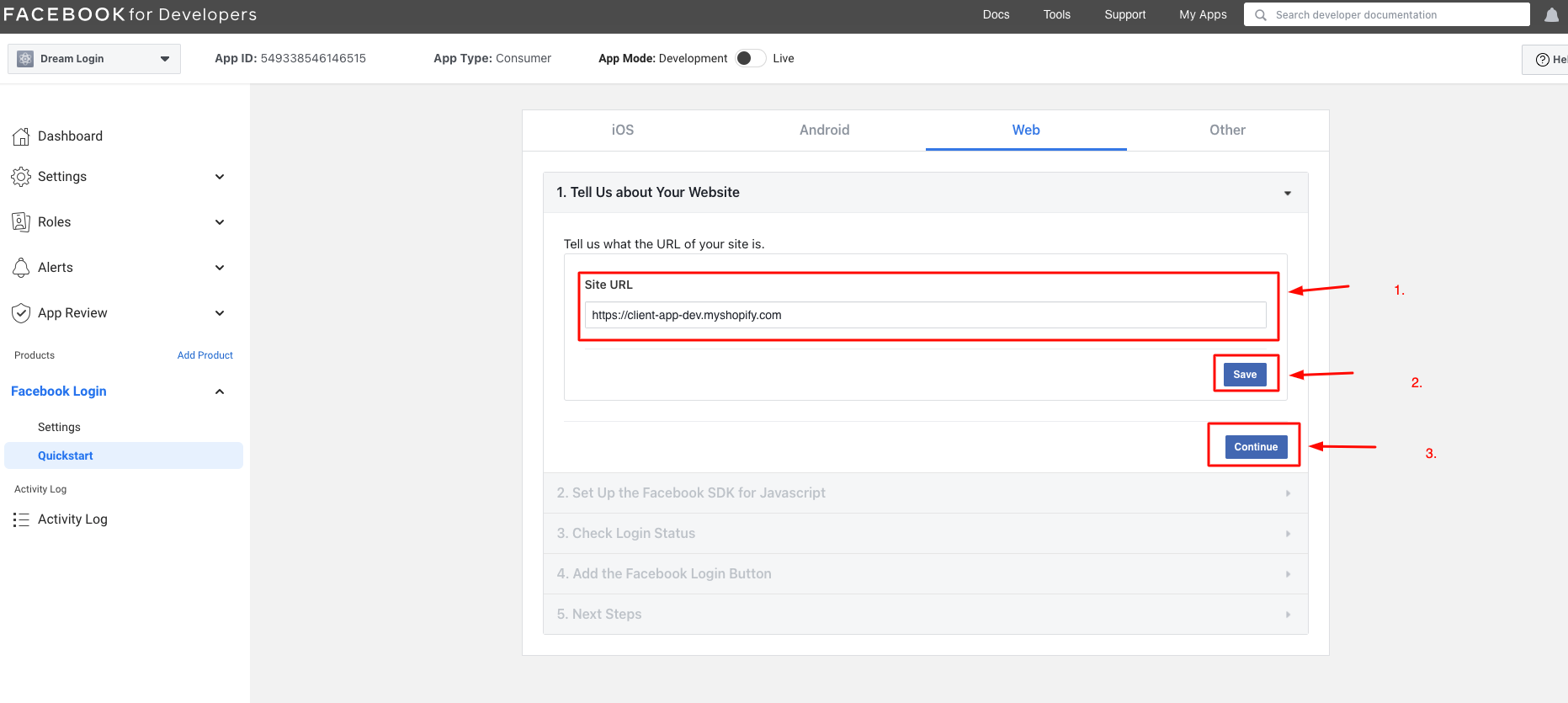
Enter your site URL and save, then click Continue.
8
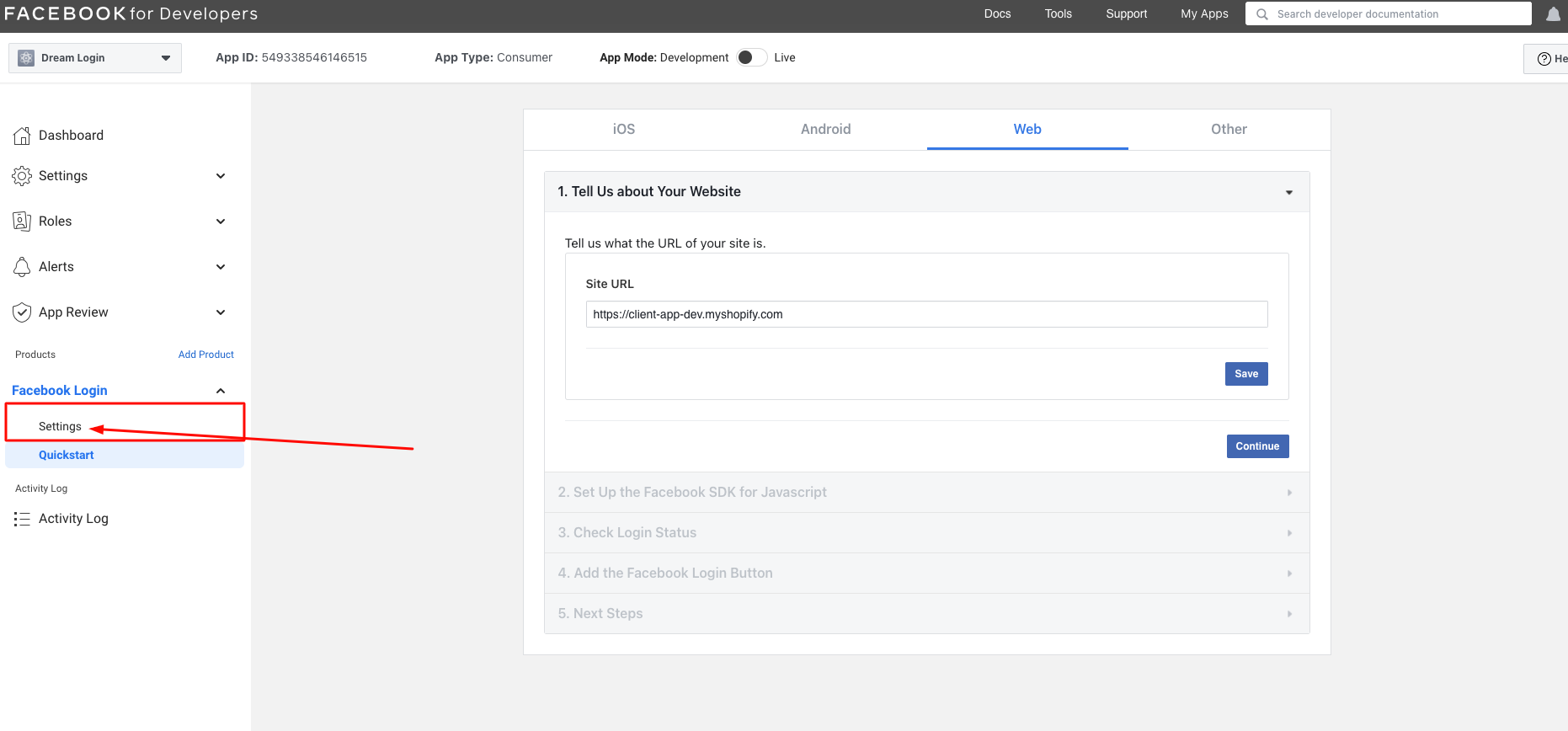
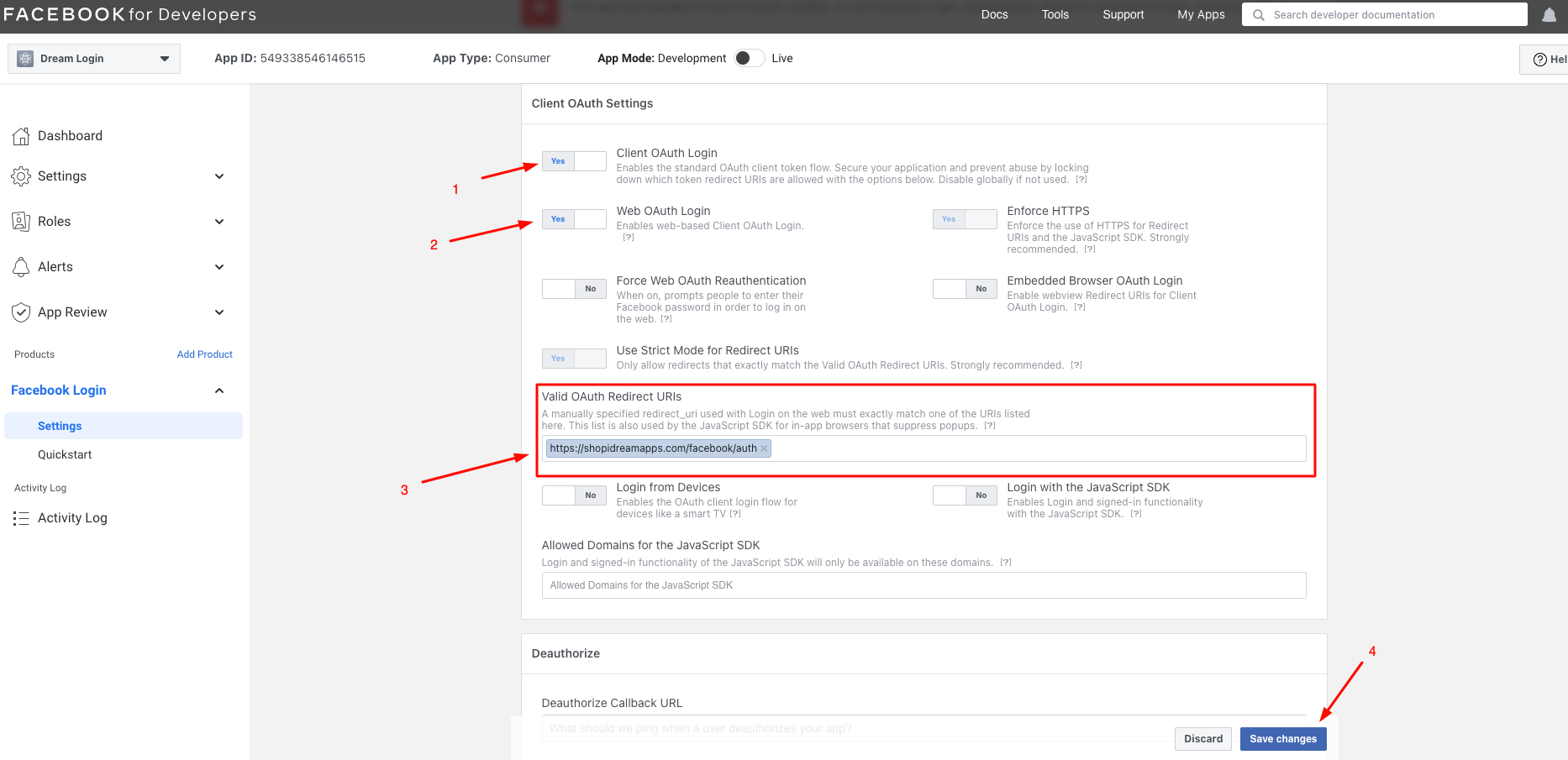
Go to Facebook Login → Settings in the left sidebar.
9
Configure the OAuth settings and save.
- Client OAuth Login: Yes
- Web OAuth Login: Yes
- Valid OAuth Redirect URIs:
https://shopidreamapps.com/facebook/auth
10
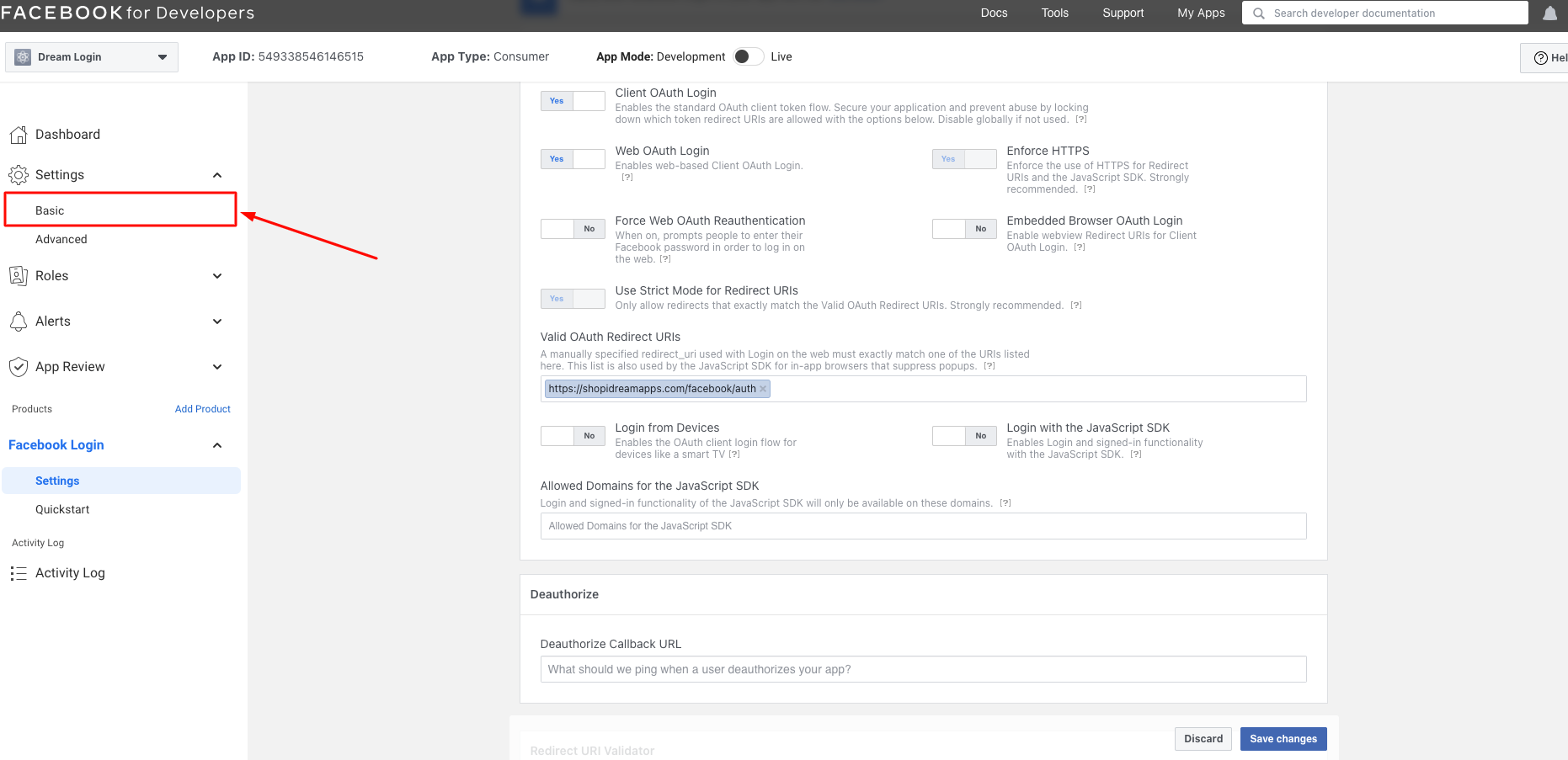
Click Settings → Basic in the left sidebar.
11
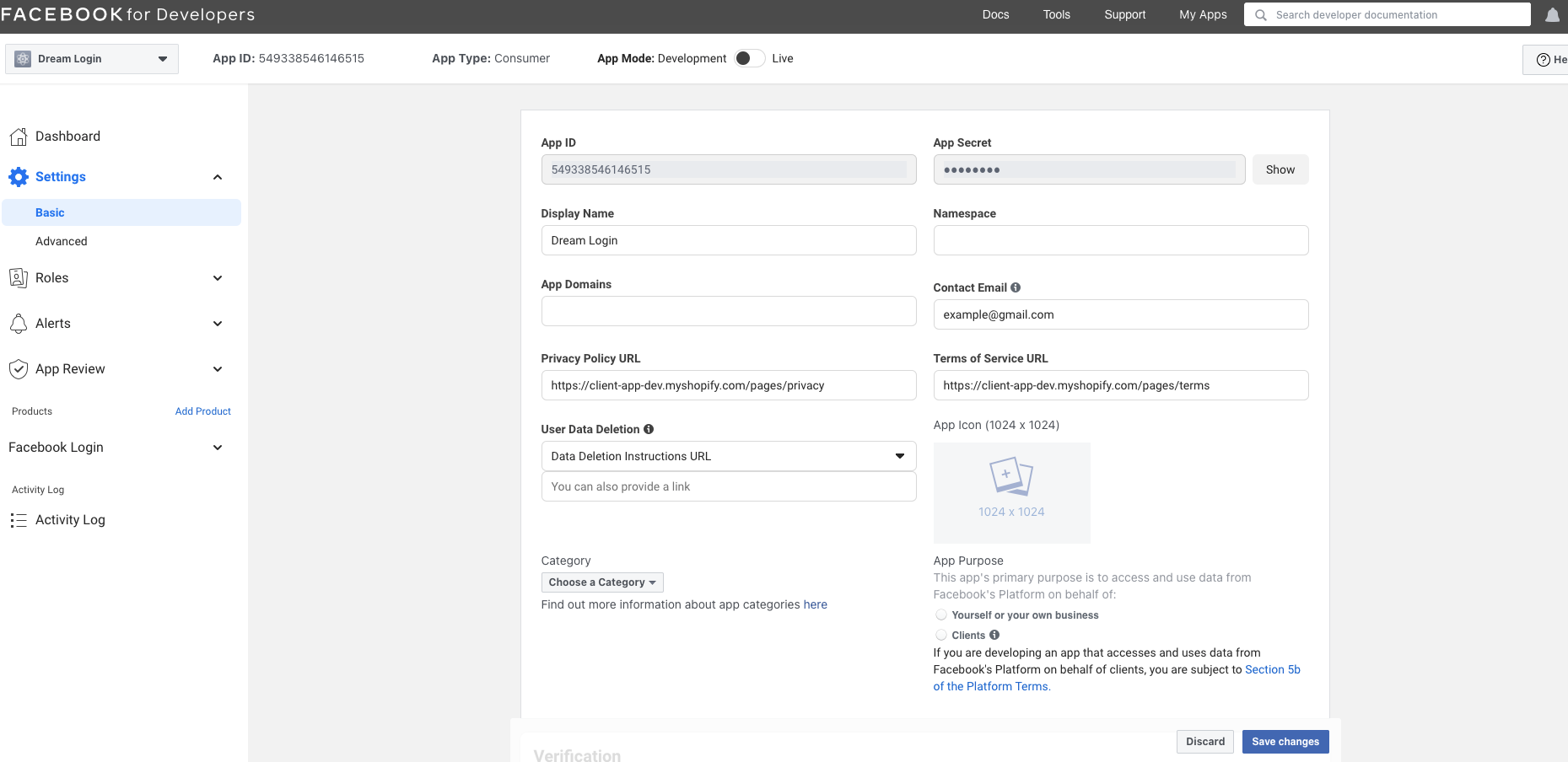
Complete the form with the required information.
- Display Name
- Privacy Policy URL
- Terms of Service URL
Save your changes.
12
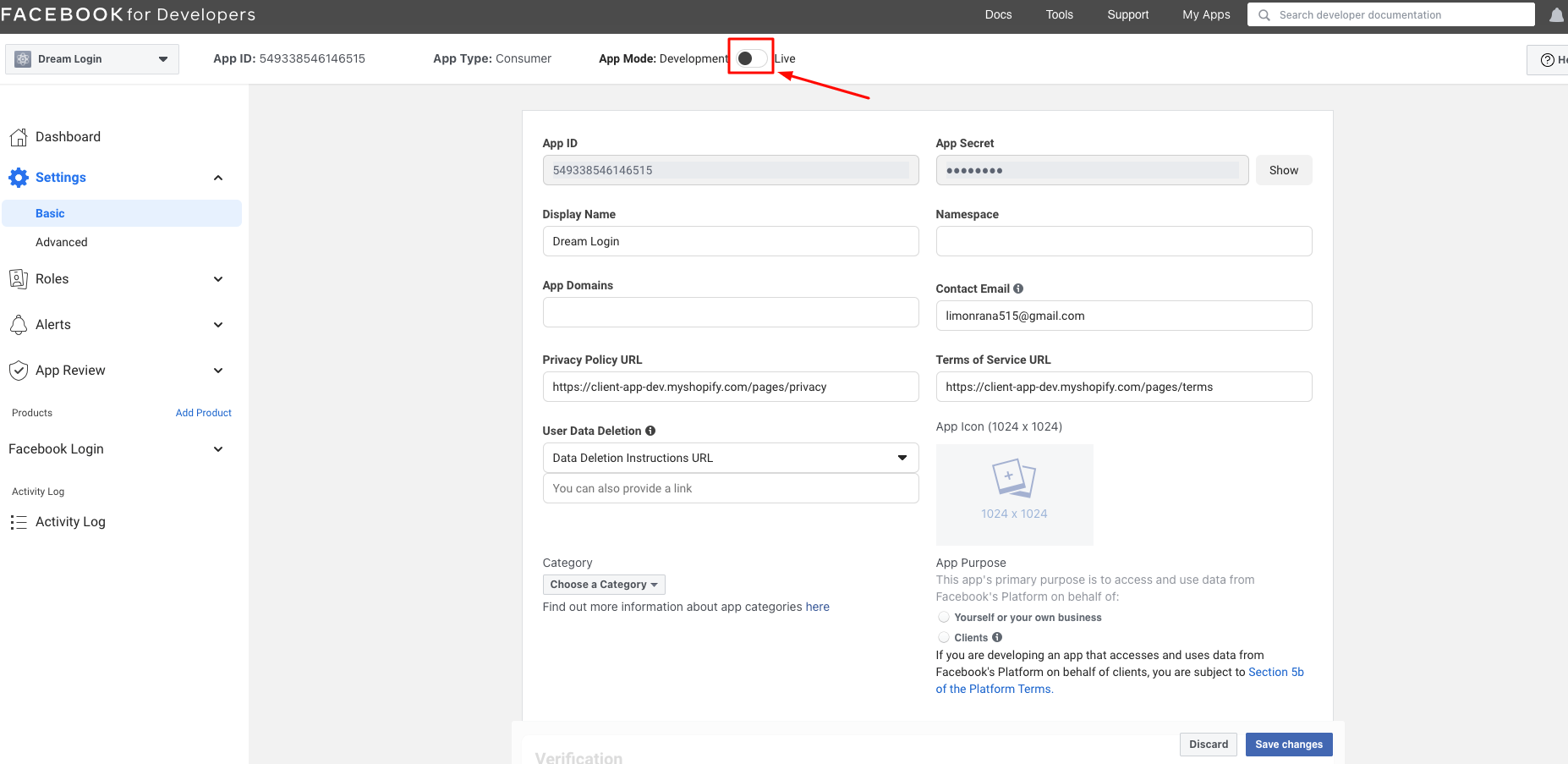
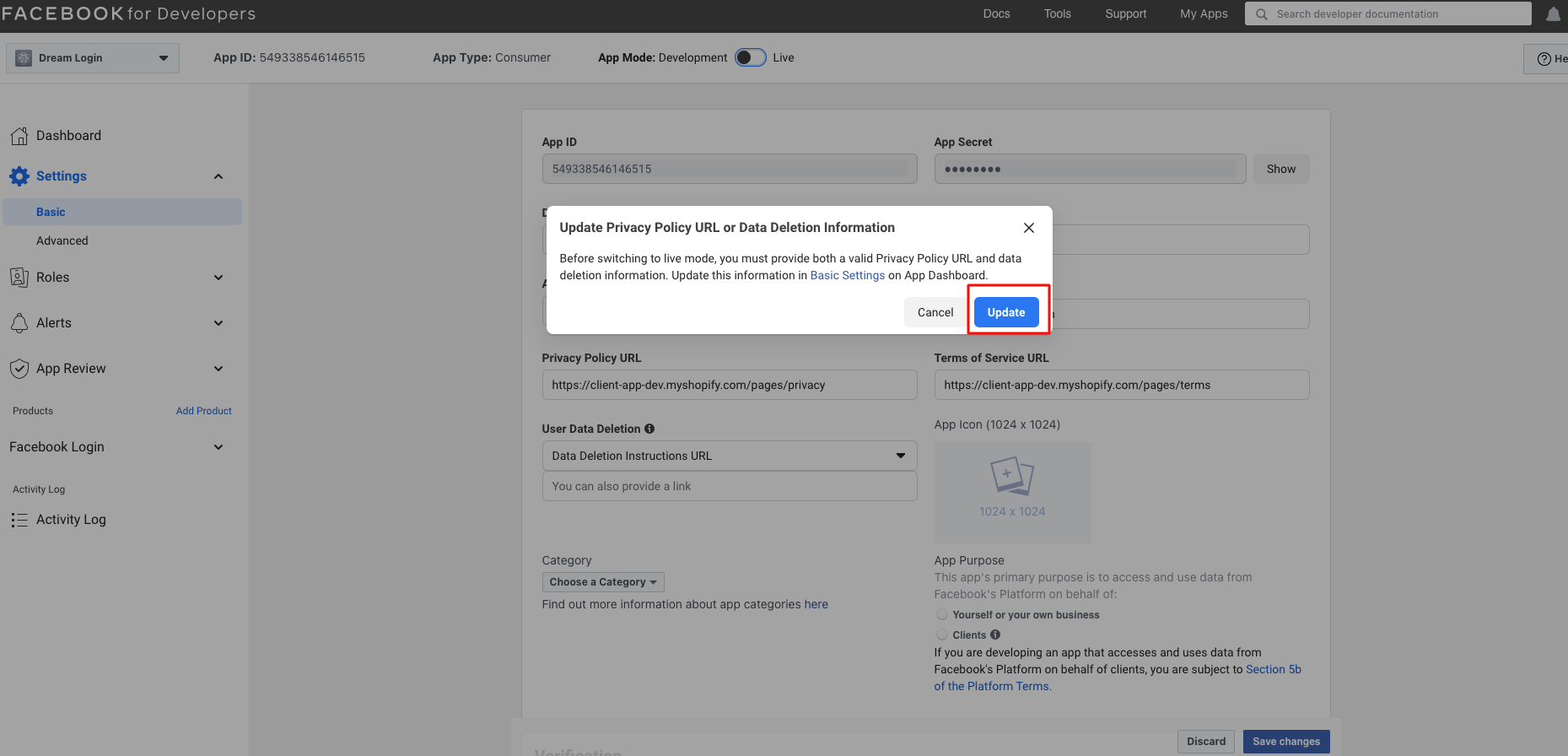
Enable the app using the toggle at the top of the page.
13
Confirm app activation.
14
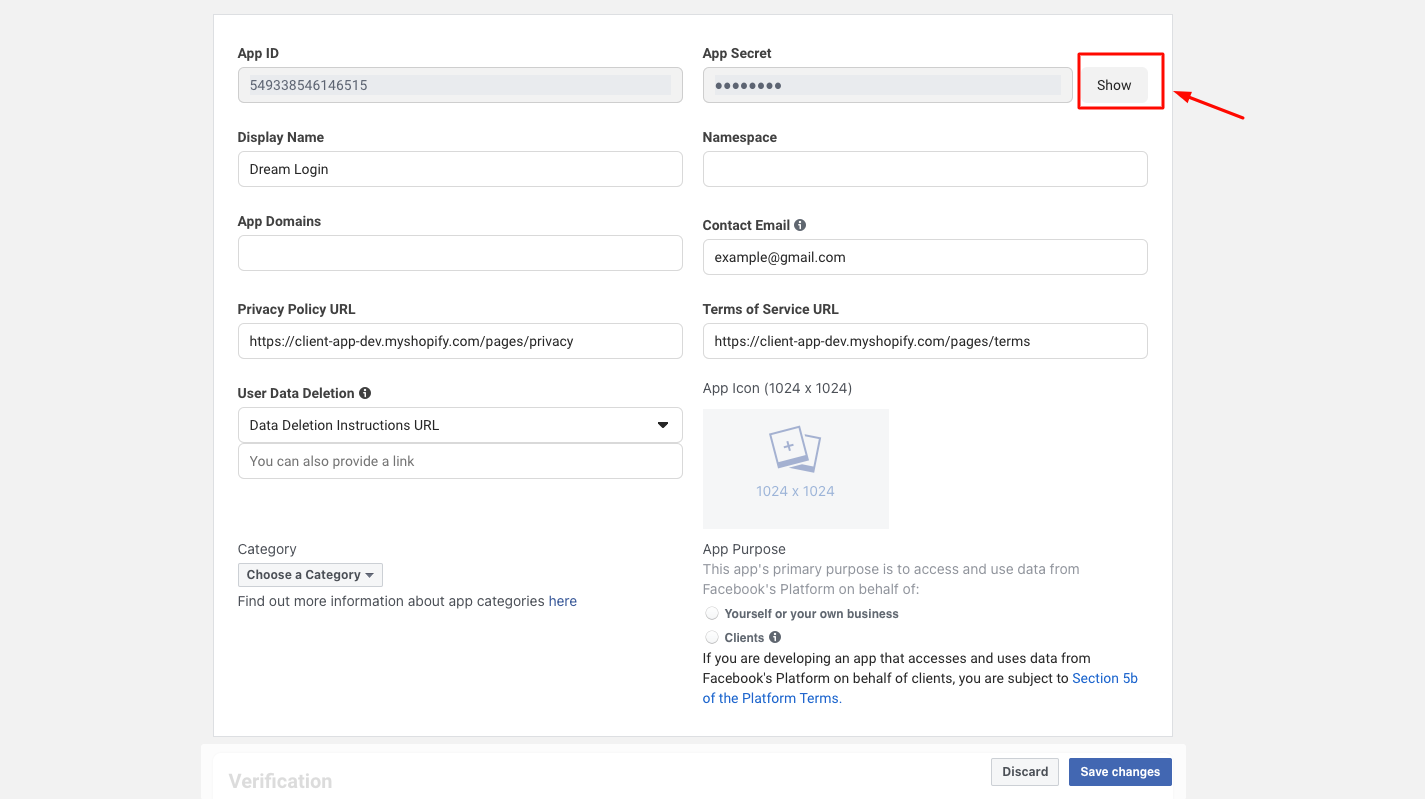
Click the Show button to reveal the App Secret.
15
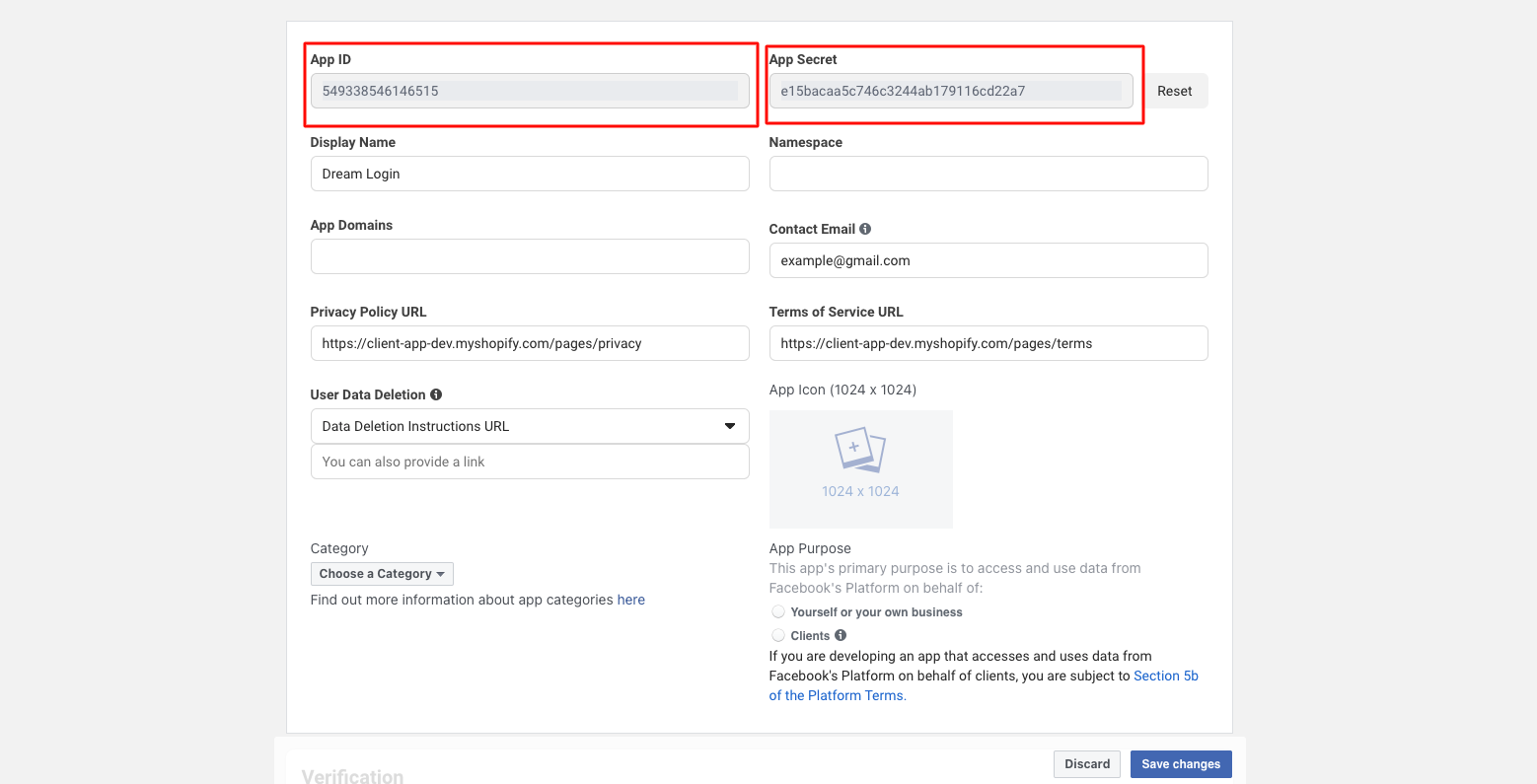
Copy your App ID and App Secret.
16
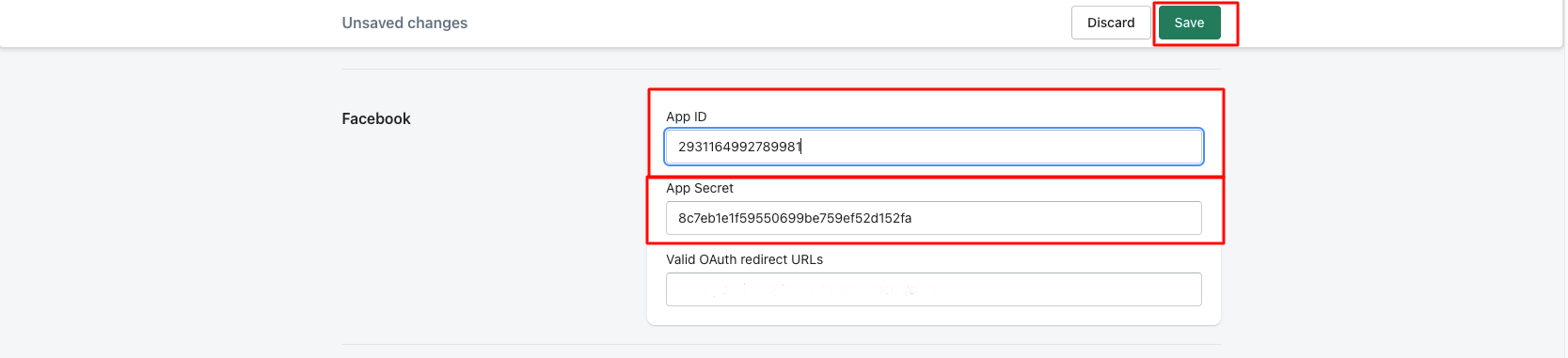
Paste App ID and App Secret into Shopify Dream Social Login → API Keys → Facebook, then save.
Verify the Integration
- Check that the Facebook button appears on your storefront login page
- Test login with a Facebook account to ensure it works correctly
- Verify the Facebook login record appears in your Shopify customer list
FAQ
Does my app need to be reviewed?
Basic permissions like email and profile information do not require review. Additional permissions may require a review submission.
What happens if I don't enable app mode?
If app mode is not activated, only the developer account can log in. Regular customers will not be able to use the login feature.